01
Flip through your looks
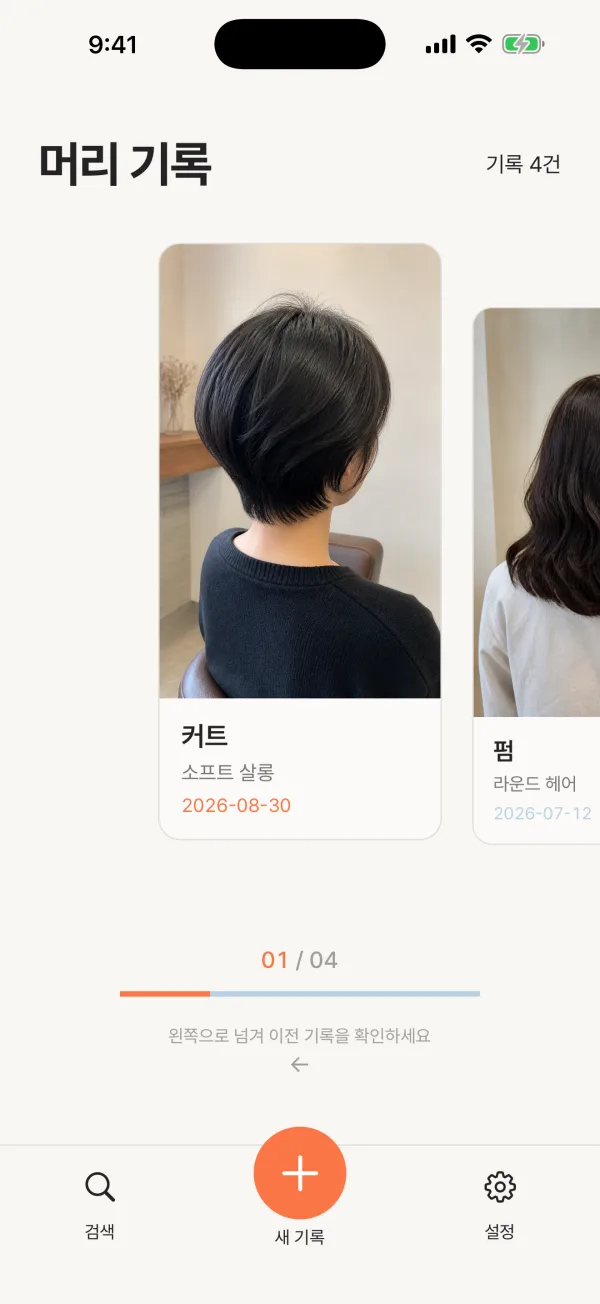
Browse recent records like a stack of cards on Home and pull up the one you loved.


Hairory
Hair salon journal
A personal hair journal that keeps your photos together with what was done that day, ready to pull up before your next salon visit.
Available in Korea · Korean only
Sound familiar?
Explaining the cut you loved, or what you want changed, is hard every single time. The photo is buried in your camera roll, and you cannot remember the treatment or the price.
So we made this
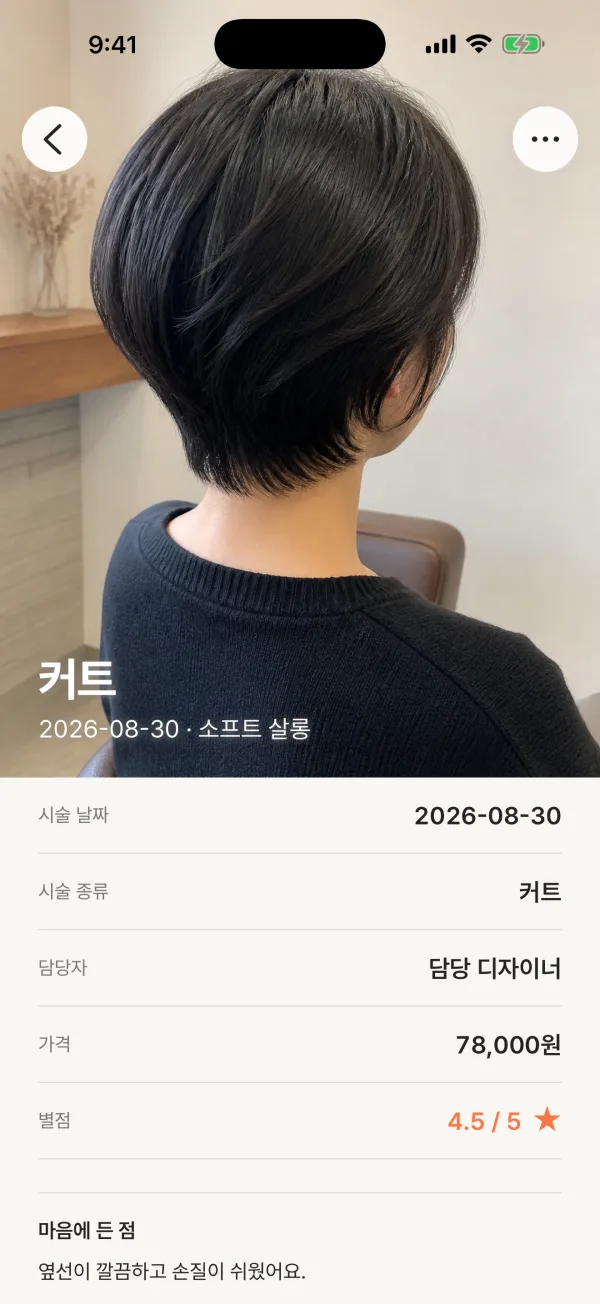
Hairory keeps the photo, date, treatment, salon, price, rating and notes together on one card, so you can show it at your next visit.
Features
Browse recent records like a stack of cards on Home and pull up the one you loved.
See the cover photo, treatment details, what you liked and what to ask for next time, together.
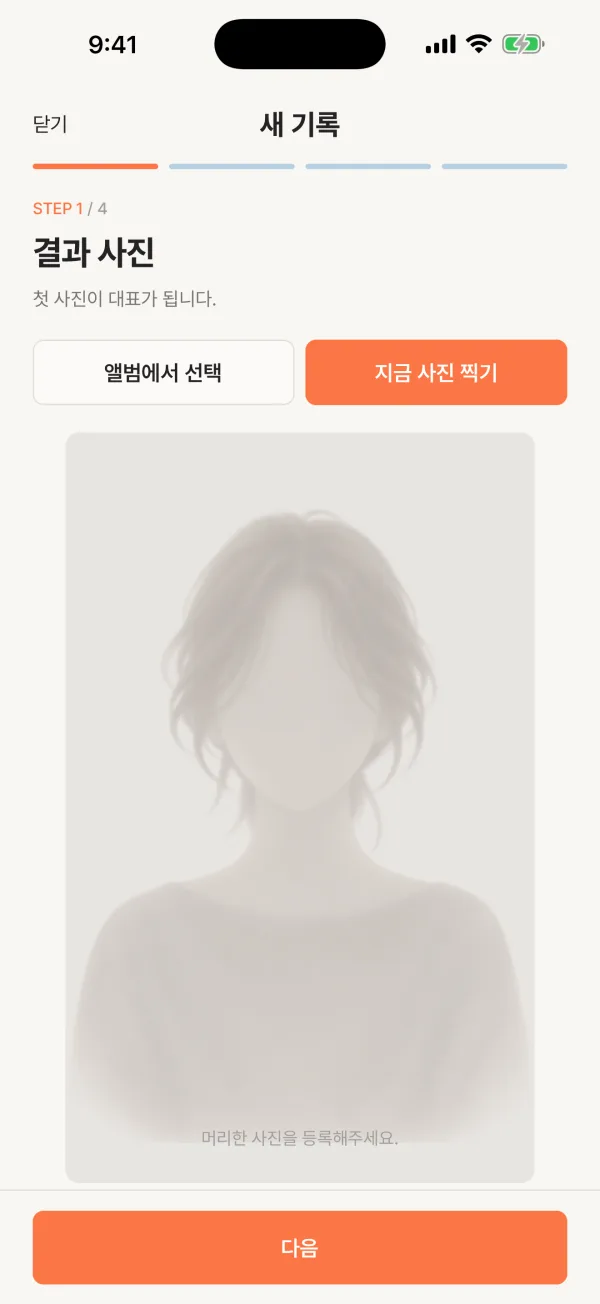
Add up to five photos per record, with the first as the cover. You can also save just the date and treatment.
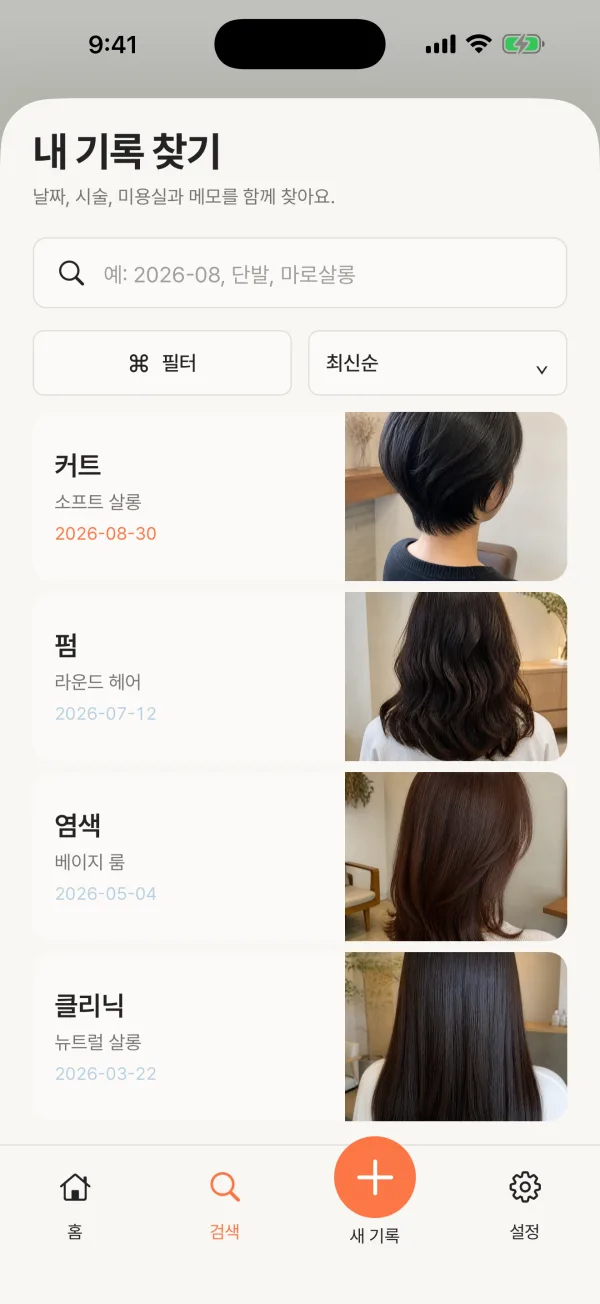
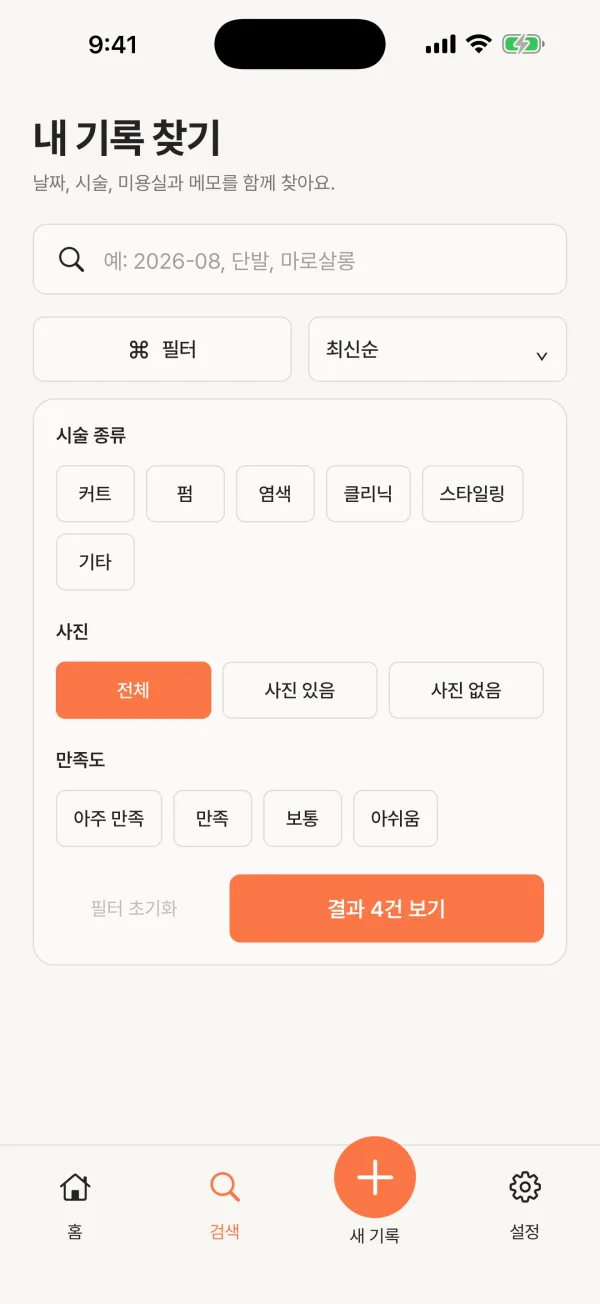
Search dates, treatments, salons and notes at once, sorted newest or oldest first.
Narrow records by treatment type, whether they have photos, and how satisfied you were.
How it works
Pick from your album or take one now. You can skip photos, too.
Choose the date and treatment type. Salon, stylist, price and rating are optional.
Write what you liked, what to ask for next time and how to care for it.
Available in Korea · Korean only
Hairory is currently available in Korean, on the Korean App Store and on Google Play.
Yes. There are no ads and no in-app purchases.
No. You can use it right away without signing up.
Records and the app’s photo copies stay only on your device. Nothing is sent to a server, and your original album photos are never changed or deleted.
Delete one from the menu on its detail screen, or delete everything at once in Settings.